Connecting BaniPool to Telegram takes three steps: log in to BaniPool with your wallet, press Connect Telegram in Settings, then press Start in the @BaniPool_bot chat. Once linked, the bot sends LP position alerts (such as out of range) and answers commands like /posisi, /pnl and /harga.
← All articles · Baca dalam Bahasa Indonesia
How to Connect BaniPool to Telegram: LP Position Alerts & Bot
November 11, 2026
Step-by-step guide to connecting your BaniPool wallet to the @BaniPool_bot Telegram bot: sign up with your wallet, press Connect Telegram in Settings, then Start. Plus /positions, /pnl and /price.
How to connect BaniPool to Telegram takes three steps and less than a minute: sign up on the BaniPool website with your wallet, press Connect Telegram on the Settings page, then press Start in the official bot @BaniPool_bot. Once connected, you receive out-of-range LP position alerts, automation results and a weekly summary right in Telegram — and you can check positions, PnL and token prices with bot commands.
Why sign up on the website first?
The Telegram bot does not know which wallet is yours. BaniPool uses no email or password — your account is your wallet. That is why the link starts on the website: after you log in with a wallet signature, BaniPool creates a one-time link code (valid for 15 minutes) that is carried to Telegram when you press Start. Nobody else can link your chat to their wallet, or the other way round.
If you type /start or any message to the bot before connecting, the bot replies with sign-up instructions and a link to this guide.
Step 1 — Sign up (log in) on BaniPool with your wallet
- Open banipool.com.
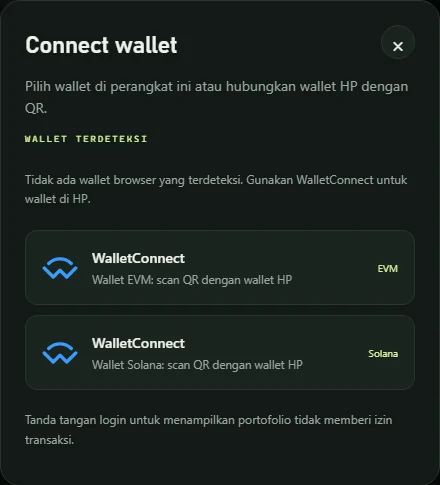
- Press Connect wallet — MetaMask, Rabby, Coinbase Wallet, WalletConnect (mobile wallets), or Phantom for Solana. No wallet yet? Read how to connect MetaMask & Phantom.
- Sign the login message. It is only a signature, not a transaction: no gas fee and no funds move.
Done — your wallet is now registered as a BaniPool account.
Step 2 — Press "Connect Telegram" in Settings
- Open Settings (the Settings menu, or the ⚙ icon). The same section is also on the Automation page.
- Find the Telegram, email & browser section.
- Press Connect Telegram. Telegram (app or web) opens @BaniPool_bot with your link code.
If Telegram does not open automatically, click the bot link shown below the button.
Step 3 — Press Start in the bot
- In the @BaniPool_bot chat, press Start.
- The bot replies right away: "✅ BaniPool: Telegram linked to wallet 0x12ab…cd34".
- Go back to the website — the Settings page detects it automatically and shows Linked.
Press Send test notification in Settings to make sure messages reach Telegram.
Always open the official @BaniPool_bot through the button on the website. BaniPool never asks for your seed phrase, private key, or fund transfers over Telegram.
Bot commands once connected
| Command | What it does |
|---|---|
/positions | Active LP positions on every network: value, unclaimed fees, range status |
/pnl | Today's & this month's PnL, plus PnL per position |
/price ETH | Token price (replace ETH with any symbol) |
/unlink | Remove all wallets from this chat |
/help | List commands |
Indonesian aliases also work: /posisi, /harga, /putus, /bantuan.
Notifications sent to Telegram
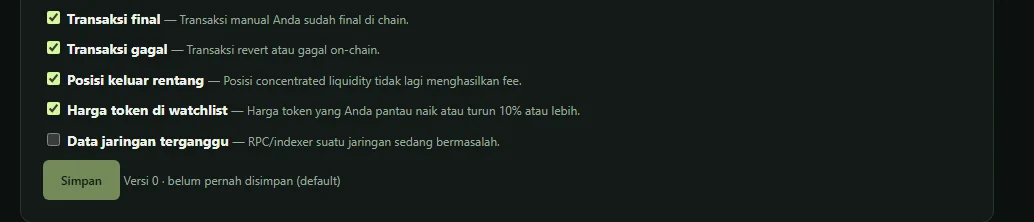
- Position out of range — a concentrated liquidity position stops earning fees. See LP out-of-range alerts.
- Automation results — compound, automated rebalancing or exit that succeeded, failed, or needs approval.
- Weekly summary (optional, Sundays 19:00 WIB) — this week's PnL, portfolio value, unclaimed fees.
Alternative: link with a Chat ID
If the Start button cannot be used (for example, Telegram is on another device), fill in Telegram Chat ID in the Telegram section, press Send code to chat ID, then enter the 6-digit code the bot sends. You can find a personal chat ID with a bot such as @userinfobot. For a group, add @BaniPool_bot to the group first.
Disconnecting or switching Telegram
- From the website: Settings → Telegram → Unlink.
- From Telegram: send
/unlinkto the bot. - Switching to another Telegram account: remove the link first, then repeat steps 2–3 from the new account.
Frequently asked questions
I typed /start but the bot only tells me to sign up. Why?
Your chat is not linked to a wallet yet. Typing /start directly in Telegram does not carry a link code. Log in with your wallet at banipool.com, open Settings, press Connect Telegram, then press Start from the link that opens.
The bot says "link code expired". What should I do?
Codes are valid for 15 minutes and can be used once. Press Connect Telegram again in Settings to get a new link.
Does connecting Telegram cost anything?
No. Login uses a gas-free wallet signature, and the Telegram bot is free.
Can one Telegram account be used for several wallets?
Yes. Repeat steps 1–3 for each wallet; /positions and /pnl show the combined wallets linked to that chat.
Can the bot move my funds?
No. The bot only reads data (positions, PnL, prices) and sends notifications. Transactions are always signed in your own wallet.
Related articles
How to Connect MetaMask & Phantom Wallets to a DeFi dApp Safely
How to connect MetaMask, Rabby, Phantom, Solflare or WalletConnect on mobile to BaniPool: gasless login, EVM + Solana in one session, and wallet safety tips.
BaniPool vs Revert Finance vs Krystal vs DeBank: Which LP Tool Fits You?
A neutral comparison of BaniPool, Revert Finance, Krystal and DeBank for liquidity providers: tool type, networks, adding liquidity, automation, and when to pick which.
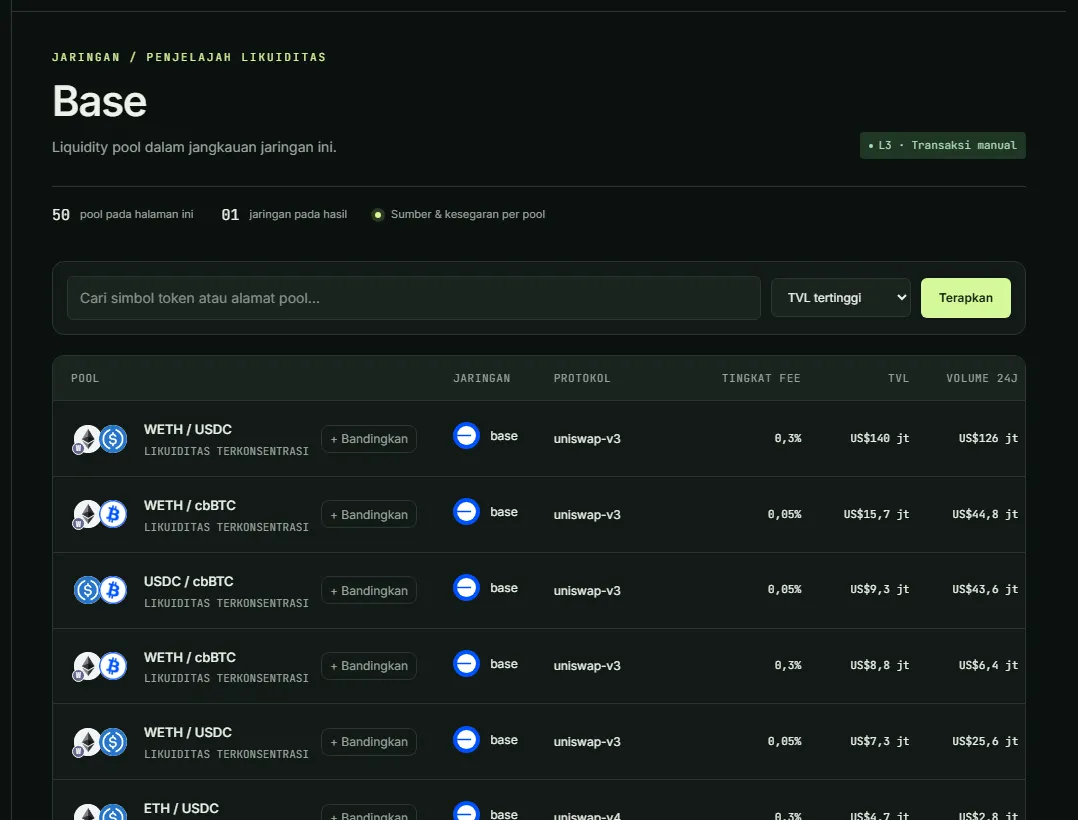
How to Add Liquidity on Base: Uniswap vs Aerodrome (2026 Guide)
Add liquidity on Base with Uniswap v3/v4 or Aerodrome: key differences, top pool APR data, Zap In with ETH, AERO rewards, and why Base needs no private mempool.