Quick answerA liquidity provider PnL calendar shows the daily profit and loss of your LP positions as a calendar, separating results from fees, token price changes and position value. It lets you see your best and worst days, weekly and monthly summaries and your win rate — something DEXs such as Uniswap or Orca do not show.
| What it shows | Why it helps |
|---|
| Daily PnL | Spot winning and losing days |
| Weekly & monthly summary | Judge a strategy over a longer period |
| Win rate | Share of profitable days |
| CSV export | Personal records or taxes |
A PnL calendar for liquidity providers: daily profit and loss from token prices and LP positions, weekly and monthly summaries, win rate, CSV export, and weekly Telegram reports.
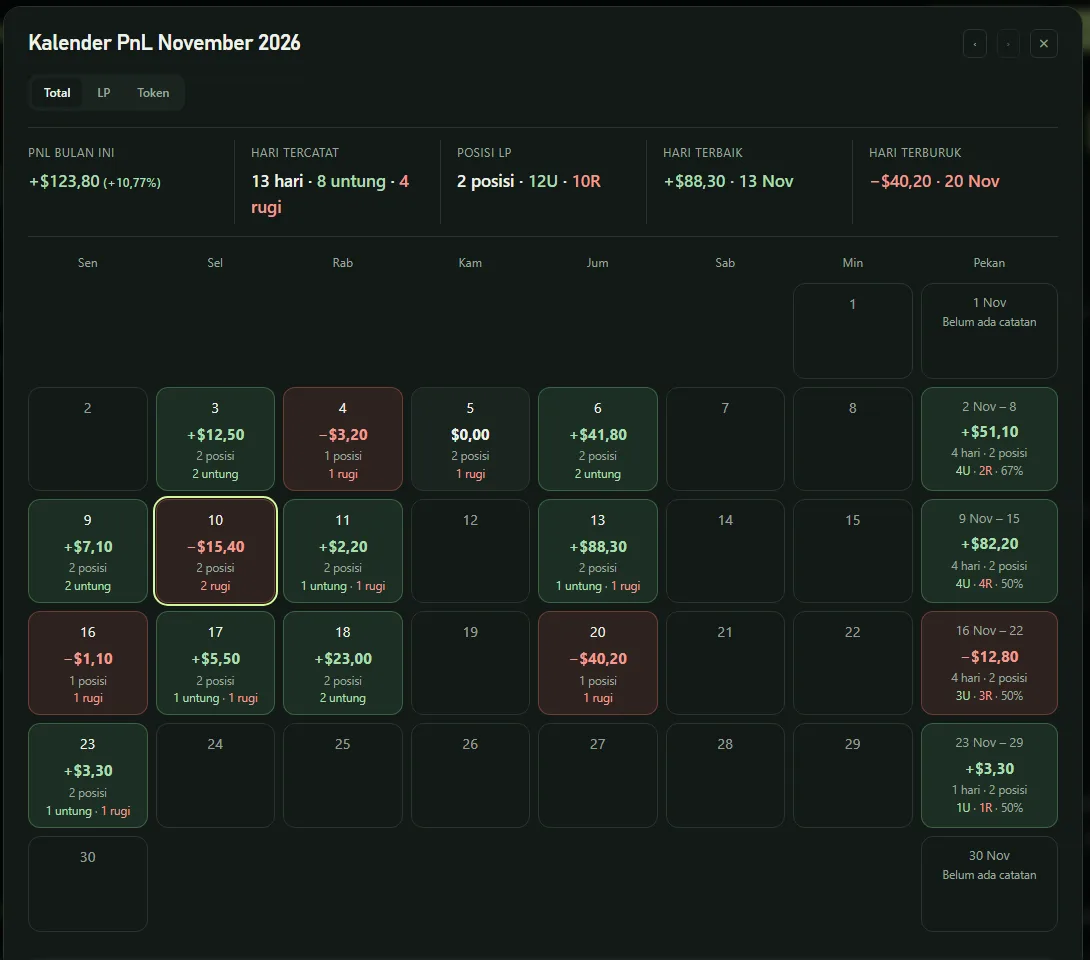
A liquidity provider PnL calendar answers the question every LP asks: "am I up or down today?" BaniPool records your wallet value daily and computes daily PnL from two sources — price changes in tokens you hold and changes in LP position PnL. Transfers and deposits are not counted as profit, so the number reflects performance, not cash flow.
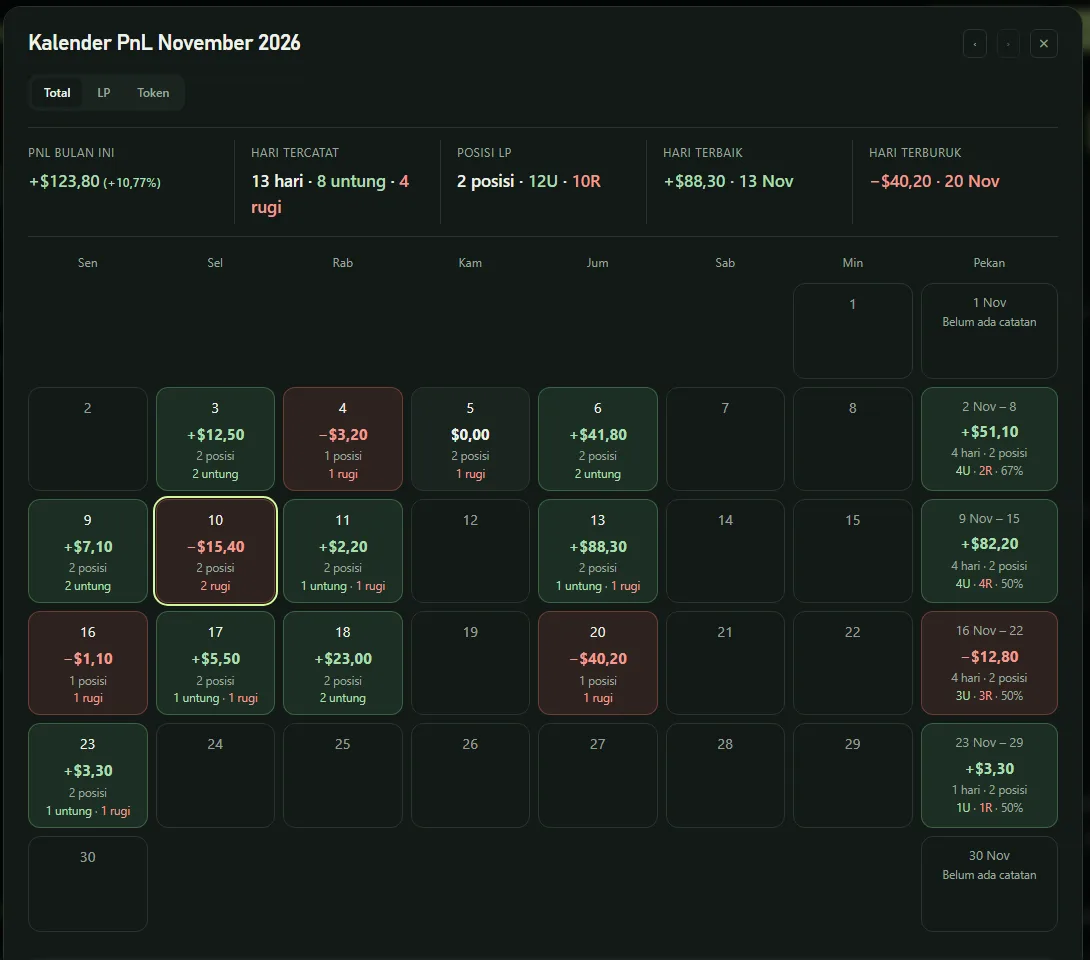
How to open the PnL calendar
- Open a wallet profile (yours or any wallet).
- Click the calendar icon next to the action buttons.
- Choose Total, LP or Token view.
What it shows
- Monthly summary — PnL this month, winning/losing days, number of positions, best and worst day.
- Each day — PnL, how many positions moved, and how many were up or down. Click a day for per-position detail.
- Week column — weekly total, days and positions, and win rate.
- CSV export for bookkeeping or taxes.
Positions opened and closed on the same day are still counted on that day.
Automatic weekly summary
Every Sunday at 19:00 WIB (12:00 UTC), if you have linked Telegram or email under Automation, BaniPool sends:
- this week's PnL (LP positions and token prices);
- portfolio value vs last week;
- unclaimed fees;
- best and worst positions;
- the number of security alerts in pools where you hold positions.
The summary is sent in the language you use on the site and can be turned off anytime.
Telegram bot
Once Telegram is linked, ask anytime: /posisi (active LP positions), /pnl (today's & this month's PnL), /harga ETH (token price).
Why PnL matters for LPs
Fee APR is only half the story. Impermanent loss and token price moves can erase weeks of fees. The PnL calendar shows the net result per day — see also impermanent loss explained and track LP positions and PnL.
FAQ
Are new deposits counted as profit?
No. Incoming/outgoing transfers and deposits are not counted as PnL.
Does the PnL calendar support Solana?
Yes — positions and tokens on both EVM and Solana.
Can I export PnL data?
Yes, with the Export CSV button.